How to Replace Nissan Key Battery: A Step-by-Step Guide
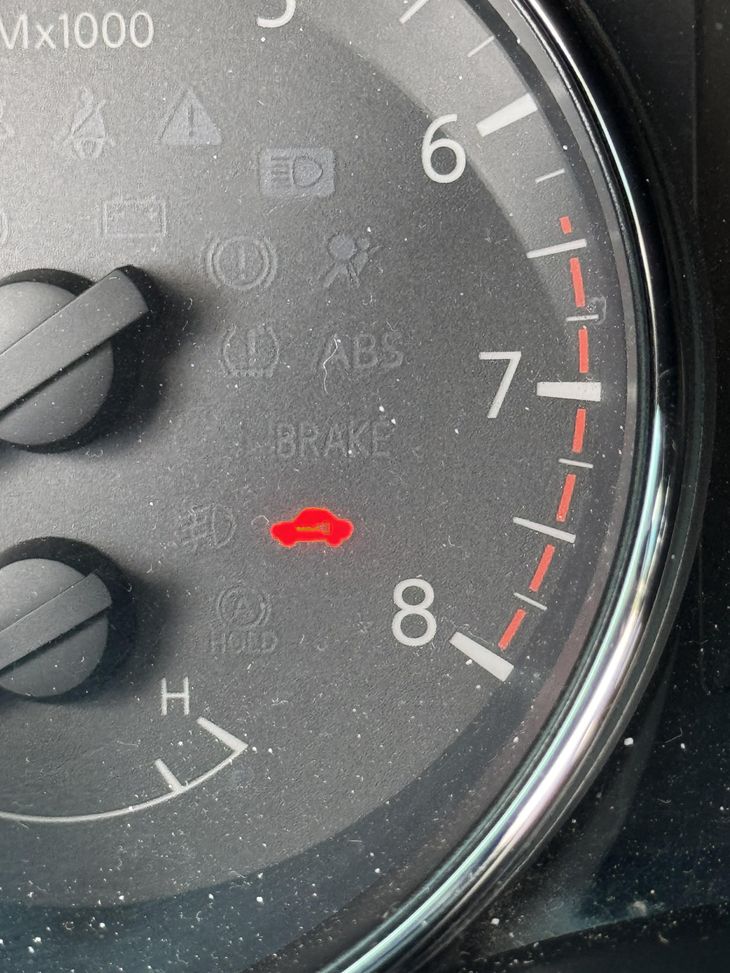
If you drive a Nissan and see a yellow or orange key symbol on your dashboard, you are not alone. That icon is the car's way of telling you something about the remote keyless entry system needs attention. In many cases, it means the battery inside your key fob is running low. Learning how to replace Nissan key battery yourself can save you a trip to a Nissan service center and keep your fob working reliably.
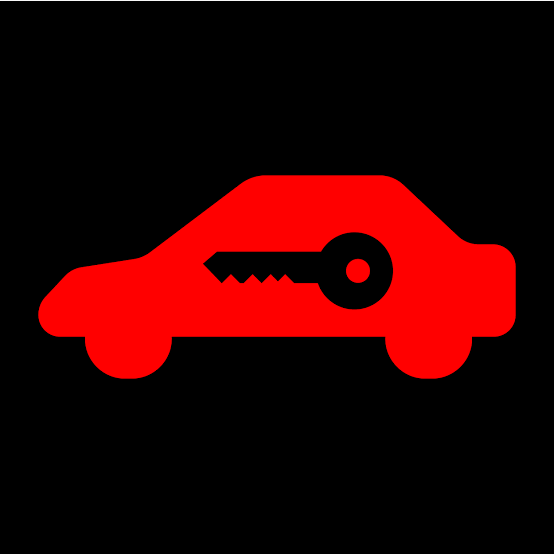
The key symbol looks like a car with a key inside it or a key icon next to a car outline. When it flashes or stays on, it often points to a weak coin cell battery in the fob. Before you assume something more serious, it is smart to check the battery first. Many Nissan models use a CR2032 battery, which is a common lithium coin cell. This type of battery is affordable and easy to find at most stores. Replacing it takes only a few minutes with the right battery replacement tool or even just a small flathead screwdriver.
What the Dashboard Key Symbol Means
Nissan vehicles use the key symbol as a low battery indicator for the key fob. When the battery voltage drops below a certain level, the fob cannot send a strong signal to the keyless entry antenna in the car. The dashboard warning light is not a sign of a major mechanical failure. It is simply a reminder that the fob needs attention. Ignoring it for too long can lead to situations where the car does not detect the fob, especially if you park far from the vehicle or if there is electronic interference nearby.
The key symbol can also appear if there is battery corrosion on the fob's battery terminals. Corrosion disrupts the electrical connection, even if the battery itself still has some charge. In that case, cleaning the terminals with a dry cloth or a cotton swab and a little vinegar can restore function. But if the battery is genuinely weak, the best fix is to replace it.
Tools and Parts You Will Need
Before you start, gather a few things. You will need a replacement CR2032 battery. This is the most common size for Nissan key fobs, but it is worth checking your owner's manual to confirm the exact type for your model. Some Nissan models use a different coin cell battery, so do not assume without verifying. You also need a small flathead screwdriver or a pry tool. Many fobs have a small slot where you can insert the tool to separate the two halves. A battery replacement tool is ideal, but a standard eyeglass screwdriver works too.
Keep a soft cloth or a clean surface handy. The fob's internal components are delicate, and dropping them on a hard floor can damage the circuit board. Also, avoid touching the flat surfaces of the new battery with your fingers. The oils from your skin can reduce the battery's lifespan. If you do touch it, wipe it clean with a dry cloth before installing it.
Step-by-Step Process to Replace the Battery
Open the Key Fob
Most Nissan key fobs split into two halves. Look for a small notch or seam along the edge. Insert your pry tool or screwdriver into the notch and gently twist to separate the halves. Work slowly to avoid cracking the plastic. If the fob has a physical key blade attached, you may need to remove it first. Some Gen 2 key fob designs have a release button for the key blade. Check your owner's manual if you are unsure.
Remove the Old Battery
Once the fob is open, you will see the battery sitting in a small compartment. It is usually held in place by two metal clips or a plastic retainer. Use your fingernail or the tip of the screwdriver to gently pry the battery out. Do not force it. If the battery is stuck, a little wiggling from side to side can help. Note the orientation of the battery - the positive side usually faces up, marked with a plus sign. Make a mental note or take a photo so you can install the new one the same way.
Inspect the Battery Terminals
Before inserting the new battery, check the battery terminals for any signs of battery corrosion or dirt. A white or greenish crust indicates corrosion. Clean it off with a dry cloth or a cotton swab dipped in a small amount of white vinegar. Let the terminals dry completely before proceeding. Corrosion can cause intermittent connection problems even with a fresh battery.
Insert the New Battery
Take your new CR2032 battery and align it with the positive side facing up, matching the orientation of the old one. Press it firmly into place. You should hear or feel a click when it seats correctly. Make sure the metal clips hold it securely. A loose battery can cause the fob to stop working when you press the buttons.
Close the Fob and Test
Snap the two halves of the fob back together. Make sure the seam is flush all around. Test the fob by pressing the lock and unlock buttons. If the car responds, you are good to go. If not, open the fob again and check that the battery is properly seated and the terminals are clean. Sometimes the battery needs a slight nudge to make a good contact.
When to Visit a Nissan Service Center
If replacing the battery does not clear the key symbol from the dashboard, the problem may be more than a dead battery. The fob itself could be damaged, or the keyless entry antenna in the car might have an issue. In those cases, a Nissan service center can run diagnostics. They can also check if the fob has lost its programming. If your Nissan models use a specific pairing procedure, the service center can reprogram the fob for you.
Another reason to visit a service center is if your car is still under a Nissan warranty. Tampering with the fob might void the warranty, so check the terms before you open it. Some owners prefer to let the dealer handle the battery replacement to keep the warranty intact. But for most out-of-warranty vehicles, doing it yourself is perfectly safe and saves time.
Tips to Avoid Future Issues
- Replace the battery every one to two years, even if the key symbol is not on. A proactive swap prevents the fob from dying at an inconvenient time.
- Store spare fobs away from heat and moisture. Extreme temperatures can drain the battery faster and cause battery corrosion.
- If you have multiple fobs, label them so you know which one belongs to which car. Mixing them up can confuse the car's keyless entry system.
- Keep the fob away from strong magnetic fields and electronic interference sources like large transformers or wireless chargers. They can disrupt the signal.
Understanding the Low Battery Indicator
The key symbol on the dashboard is a low battery indicator, not a warning that the car itself is broken. Nissan designed it to give you early notice so you can replace the battery before the fob stops working entirely. When the battery voltage drops, the fob's range decreases. You might find yourself standing closer to the car than usual to lock or unlock it. That is a classic sign that the battery is weak.
Some Nissan models also show the key symbol when the car's internal battery for the keyless entry system is low. But that is less common. In the vast majority of cases, the fob battery is the culprit. If you have already replaced the fob battery and the symbol stays on, check the owner's manual for other possible causes. It could be a problem with the turn signal stalk or another component that communicates with the fob, but those situations are rare.
Final Thoughts
Knowing how to replace Nissan key battery is a simple skill that every Nissan owner can learn. It takes less time than driving to a store and costs only a few dollars for the battery. The CR2032 is widely available, and the process is the same for most Nissan models. Whether you drive a compact sedan or a larger SUV, the fob design is similar. Just remember to handle the battery by its edges and keep the terminals clean.

If you ever feel unsure, your owner's manual has a section on key fob maintenance. It will tell you the exact battery type and show you where the release notches are. Following those instructions ensures you do not damage the fob. And if the dashboard warning light persists after a fresh battery, a quick visit to a Nissan service center will sort out any deeper issues.
Taking care of your key fob is a small part of overall car ownership, but it makes a big difference in daily convenience. A working fob means you never have to fumble with a physical key. So the next time you see that key symbol on your dash, you will know exactly what to do. Grab a CR2032, open the fob, and replace the battery. Your car will thank you.